Simple Alarm Clock
Moula SoftwareProductivity
4.510.85K Reviews
- Version
- 8.6.9
- Installs
- 50.00M
- Age Rating
- Everyone
Screenshots
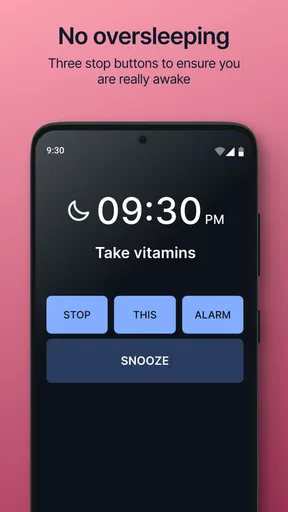
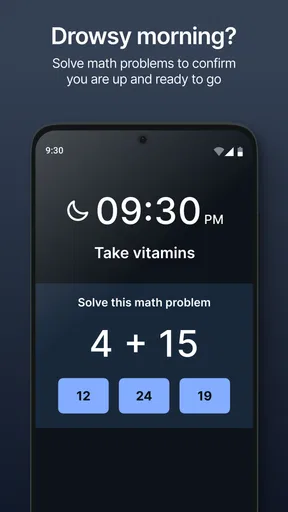
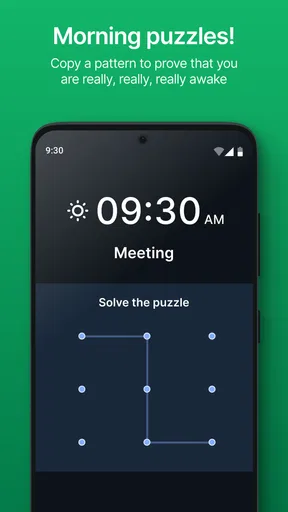
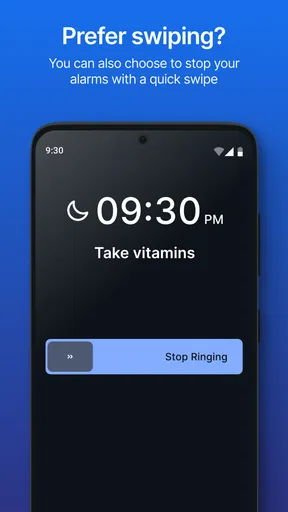
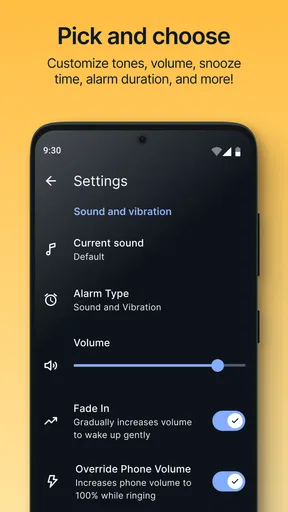
Our Review of Simple Alarm Clock
 Analysis by Appyee
Waking up should not feel like managing a complicated system. That is the main reason I found myself appreciating Simple Alarm Clock. It keeps its purpose narrow: setting alarms, choosing how they sound, and making the next wake-up easier to handle. I tested it as a productivity app rather than treating it like a full personal organizer, and that distinction matters. It is not trying to replace a calendar, sleep tracker, or smart-home routine. It is a focused alarm clock from Moula Software, built for people who want less fuss before bed.
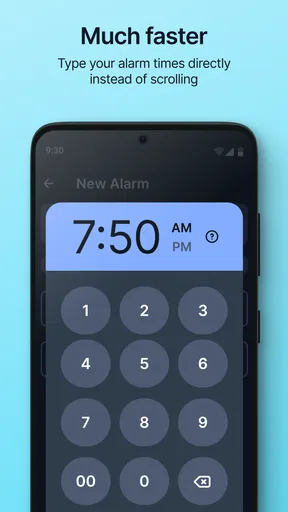
The app’s appeal is easy to understand when you are tired. A crowded alarm interface can make a basic task feel strangely demanding, especially when you are setting an early alarm in a dark room. Here, the experience is centered on speed and clarity. The store’s brief promise of being simple, loud, fast, and easy is not just a slogan I would associate with the way the app feels in daily use. The free download makes it approachable, while optional in-app purchases ranging from $0.99 to $2.99 per item provide extra room for customization without turning the basic purpose into a paid barrier.
How the alarm fits into a connected phone
One useful way to judge an alarm app is to notice how much it depends on the rest of the phone. Simple Alarm Clock lives on a device that is usually connected to mobile data, Wi-Fi, Bluetooth accessories, and a stream of notifications. Yet the core task is more self-contained than messaging or navigation. I do not need a social account, a conversation, or a live feed to understand what the next alarm is supposed to do. That focused design is a relief when I want to put the phone down and sleep.
Connectivity still shapes the experience around the edges. If I use the phone for music, streaming, cloud-backed routines, or wireless accessories before bed, the alarm becomes one part of a much busier device. The practical lesson is to check the alarm itself rather than assuming that every phone activity has been arranged correctly. I prefer setting it before I start browsing, then looking once at the displayed time and repeat pattern. That small habit reduces the chance that a late-night distraction becomes a morning problem.
I also would not confuse a straightforward alarm app with a complete connected-home solution. If your ideal morning involves lights gradually brightening, a coffee machine starting, sleep-stage analysis, or a remote family schedule, this is probably too limited as the central tool. A dedicated smart-home or sleep platform may be better for that kind of chain. Simple Alarm Clock makes more sense as the dependable, visible alarm in the middle of an ordinary phone routine.
There is another connectivity-related point worth considering: the phone itself remains the important object. A weak mobile signal is not the same thing as a dead or badly configured device, and an internet connection does not guarantee that an alarm will behave as expected. I avoid making last-minute changes while the phone is busy with other tasks. I also keep the device where I can hear it, rather than assuming a connected speaker or headset will always be the right output.
Why it works well in mobile situations
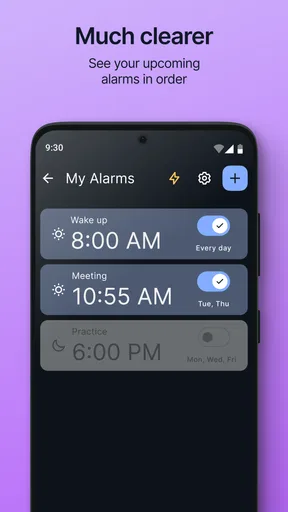
The strongest everyday use case is a person who moves between routines. I might need one alarm for a workday, another for a weekend appointment, and a temporary reminder for an unusually early departure. A simple interface is valuable here because I can make the change quickly instead of navigating through a large productivity suite. The app suits students, shift workers, travelers, parents, and anyone whose wake-up time changes often but who does not need a sleep diary attached to every alarm.
Imagine arriving at a hotel after a late trip. I am tired, the room is unfamiliar, and I need to leave early. The useful workflow is not elaborate: open the app, create or adjust the alarm, verify the time, and place the phone where its sound will carry. I would not want to depend on a complicated bedtime feature in that moment. The app’s restrained approach is a genuine advantage when attention is low.
It is also handy when the phone is being used in different physical settings. On a desk, the alarm can be easy to glance at. Beside the bed, large, obvious controls matter more than decorative detail. In a shared room, volume becomes a personal consideration: the loudness that helps one person wake up may disturb someone else. That is not a defect unique to this app, but it does mean I would test the chosen sound before relying on it for an important morning.
For travel, I pay special attention to the phone’s clock and time-zone behavior rather than blaming the alarm app for every unexpected result. A flight, hotel stay, or border crossing can change the device’s local time. My advice is simple: after the phone adjusts its time, open the alarm and confirm the next trigger. That extra check is more useful than assuming the old schedule still means what it meant at home.
The app is less compelling for people who want a motivational morning coach. Some alternatives build in tasks, barcode scans, puzzles, sleep reports, or gradual wake-up sounds. Those features can be helpful if I routinely turn off alarms without becoming fully awake. On the other hand, they can also add friction, battery concerns, and more settings to maintain. I would choose Simple Alarm Clock when the priority is a clear alert, not a behavioral program.
Failure points and sensible recovery habits
No alarm app should be judged only by how quickly an alarm is created. The real test is what happens when the phone is muted, the battery is low, another app is playing audio, or the user has changed device settings. I found the most useful approach is to treat the alarm as a small system that deserves a pre-sleep check. Confirm the time, repeat schedule, sound, and volume. Then make sure the phone is not in a state that could prevent me from hearing it.
This is especially important for people who use silent or do-not-disturb modes. Phone-level behavior can affect how alerts are heard, and a user should understand the device’s own rules instead of assuming every application overrides them. I would perform a short test when first installing the app: set an alarm a few minutes ahead, lock the phone, and see how the alert behaves in the mode I normally use at night. That test answers a practical question much faster than discovering the answer on an important morning.
Battery management deserves the same attention. A phone that shuts down cannot deliver a wake-up alert, regardless of which alarm application is installed. I keep enough charge for the night and avoid treating a nearly empty battery as an acceptable backup plan. If an early appointment is critical, I use a second alarm source, such as another device or a household clock. That is not a criticism of this particular app; it is sensible risk management for anything tied to one phone.
Connectivity failures are less dramatic than device failures, but they can still change the surrounding routine. Streaming audio may stop, wireless accessories may disconnect, and notifications may pile up after a network interruption. I like that a focused alarm does not require me to coordinate all those services just to set a wake-up time. Still, I would not build an elaborate morning sequence around untested connected equipment and then assume the alarm alone will compensate if the rest goes wrong.
Recovery is straightforward when the problem is a mistaken time or repeat setting: reopen the alarm, correct it, and verify the next occurrence. The more subtle mistake is editing an alarm and forgetting whether it is active. I make the enabled state part of my final check. This is one of the non-obvious habits that makes a basic alarm app more reliable: the fewer features there are, the more important it becomes to confirm the one feature that matters.
What to expect from the free experience
Simple Alarm Clock is free, which makes it easy to try without committing money first. That suits the app’s role because I can test its sound, controls, and behavior on my own phone before deciding whether it fits my routine. Optional purchases between $0.99 and $2.99 per item may appeal to someone who wants additional choices, but I would not install it expecting a premium sleep ecosystem. Its value comes from reducing steps, not from surrounding the alarm with a large set of services.
The age rating is Everyone, so the app is positioned as a broadly accessible utility rather than a specialist health product. That distinction is useful. I would not use an alarm clock as medical guidance or treat its wake-up behavior as a diagnosis of sleep quality. If poor sleep, repeated exhaustion, or unusual waking patterns are the real issue, a conversation with a qualified professional is more appropriate than endlessly changing alarm settings.
Its long presence also gives the app a recognizable place in the productivity category. It was released on December 3, 2011, and the current version is 8.6.9. For compatibility, the listed minimum is Android 6.0. That makes the app relevant to people using older Android hardware, although I would still check how the phone’s own battery and notification controls handle alarms. A compatible operating system does not automatically mean every manufacturer’s power-saving behavior will be identical.
The scale of its audience is notable without being the reason I would choose it. It has passed 50 million installs, with an average rating of 4.5 from around 553 thousand ratings and roughly 11 thousand written reviews. Those figures suggest that many people find the basic approach useful, but they should not replace personal testing. Alarm reliability is highly dependent on the individual phone, sound preferences, sleeping environment, and daily schedule.
Data-conscious routines and practical boundaries
When I use a small utility, I prefer not to give it more responsibility than it needs. An alarm clock does not need to become the center of my digital life. I avoid connecting it conceptually to every other service simply because my phone can connect to them. Keeping the workflow local to the device, where possible, reduces the number of moving parts I have to remember at bedtime. I am deliberately describing a habit rather than promising a particular offline mode, because the important point is to keep the routine simple and controlled.
That approach also helps with privacy-minded use. I do not enter personal notes into an alarm unless they are genuinely useful, and I avoid turning a basic wake-up time into a detailed record of my sleep. If I need long-term sleep trends, I would choose a dedicated tracker after checking its data practices and measurement limits. Simple Alarm Clock is better treated as a scheduling tool than as a diary of my body.
Notifications are another area where restraint helps. I do not want a morning alarm buried among news, social updates, and promotional interruptions. Before bed, I reduce the number of distractions on the phone and make the alarm easy to identify. This is a small but meaningful advantage of a focused app: it encourages me to think about the one alert I actually need instead of adding another layer of information.
For a shared household, I would also consider who can access the phone and change the alarm. A child, partner, or curious guest can alter a setting accidentally if the device is left unlocked. The solution is not complicated: make the final check part of the bedtime routine and keep the phone positioned where it will not be disturbed. The app cannot solve every physical or social problem around a bedside device.
Who should choose it, and who should look elsewhere?
I would recommend this app to someone who wants a clean alarm utility, changes wake-up times regularly, and dislikes the clutter of feature-heavy alternatives. It is particularly suitable for an older Android handset that meets the minimum operating-system requirement, provided the phone’s sound and power settings are configured sensibly. The free entry point makes experimentation easy, and the optional purchases leave customization available without forcing every user into the same setup.
I would hesitate to recommend it as the only solution for a very heavy sleeper who needs escalating challenges, a person seeking sleep-stage analysis, or anyone building a connected morning routine across lights, speakers, and household appliances. Those users may be happier with a sleep-focused application, a smart alarm, or a physical backup clock. Likewise, if I need shared schedules, work-team reminders, or calendar-aware planning, a calendar app is the more appropriate primary tool.
The trade-off is refreshingly clear. You get less ceremony and fewer layers, but you also get less help with complex routines. That is not a weakness for every user. In fact, the absence of unrelated features is exactly why I can recommend it to a friend who only wants to wake up on time. The app does not need to entertain me or analyze me to be useful.
My connectivity verdict
After using it as a focused productivity tool, I see Simple Alarm Clock as a good fit for people who want their phone to perform one basic job without turning bedtime into a project. Connectivity matters around the alarm—through phone settings, time zones, audio devices, battery behavior, and other notifications—but the best experience comes from keeping those dependencies under control. I would set the alarm, verify it, test the phone once, and avoid building an untested chain of connected services around it.
The app’s strengths are its narrow purpose, approachable free model, broad compatibility starting at Android 6.0, and easy fit in changing daily routines. Its limitations are equally clear: it is not a sleep coach, a smart-home controller, or a substitute for a backup when waking up is critical. For my own use, that balance is convincing. If you want a straightforward wake-up tool rather than a digital sleep laboratory, this is the kind of app I would suggest trying first.
My final recommendation is practical rather than enthusiastic for its own sake. Install it, create a test alarm, check how your phone handles sound and power settings, and then decide whether its simplicity matches your habits. With its 4.5 average and more than 50 million installs, it has clearly reached a large audience, but the most important test remains personal: can you set it quickly at night and hear it confidently in the morning? For many people, Simple Alarm Clock answers that question without unnecessary complications.
Verdict
Strengths of Simple Alarm Clock
- Clean, distraction-free interface is easy to navigate.
- Supports multiple alarms for different schedules.
- Large snooze controls are convenient when half-awake.
- Uses minimal storage and battery compared with feature-heavy clocks.
- Simple setup makes it suitable for users of all ages.
Limitations of Simple Alarm Clock
- Limited customization may disappoint users wanting advanced alarm features.
- May lack smart wake-up or sleep-cycle tracking tools.
- No extensive sound library for users seeking varied alarm tones.
- Basic scheduling may not handle complex recurring routines.
- Reliability can depend on notification and background-permission settings.
Similar Picks in This Category
View All
Google Calendar
Google LLC4.6

Google Drive
Google LLC4.3

Google Assistant
Google LLC3.9

Microsoft OneDrive
Microsoft Corporation4.6

Samsung Calendar
Samsung Electronics Co., Ltd.4.1

Microsoft OneNote: Save Notes
Microsoft Corporation4.6
Frequently Asked Questions
What is Simple Alarm Clock and what can I use it for?
Simple Alarm Clock is a straightforward alarm and time-management app designed for users who want reliable wake-up reminders without an overloaded interface. You can typically create alarms for specific times, choose repeat schedules, label reminders, and select an alert sound or vibration pattern. It may also be useful for medication reminders, appointments, study sessions, naps, or daily routines where a simple notification is enough.
Does Simple Alarm Clock work when my phone is on silent or Do Not Disturb mode?
Alarm behavior can depend on your phone model, Android or iOS version, and the permissions granted to the app. Many alarm applications can play an alert even when media volume is muted, but Do Not Disturb settings, battery-saving restrictions, or system-level notification controls may interfere. Before relying on it for an important wake-up call, check the app’s sound permissions and test an alarm under the same settings you normally use overnight.
Can I create repeating alarms and customize their sounds?
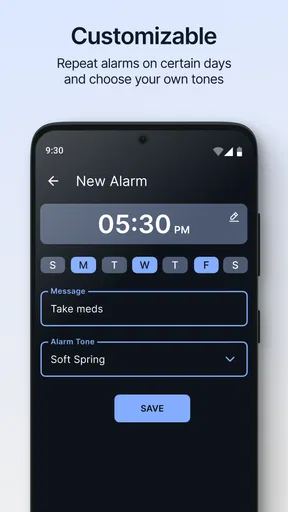
Yes, Simple Alarm Clock is intended to make recurring alarms easy to manage. You can generally set an alarm for selected days, such as weekdays, weekends, or a personalized schedule, rather than creating a new alarm every morning. Depending on the version installed, customization may include different tones, volume behavior, vibration, labels, and snooze duration. Available options can vary between Android and iOS releases.
What permissions does Simple Alarm Clock require, and is it safe to install?
The app may request permission to send notifications, play sounds, use vibration, and run alarm-related functions in the background. Some devices may also require permission to ignore battery optimization so alarms are not stopped while the phone is idle. These permissions are relevant to its main purpose, but you should review the store listing and privacy policy before downloading. Avoid granting unrelated permissions that are not necessary for alarms.
Will my alarms still work if the app is closed or the phone restarts?
In most cases, alarms are designed to continue working after you leave the app, but reliability depends on system settings and the app’s implementation. Battery optimization, background restrictions, automatic cleanup tools, and force-closing the application can prevent alerts on some devices. After installing Simple Alarm Clock, create a test alarm a few minutes ahead, restart your phone if necessary, and confirm that the alarm remains scheduled before using it for an important event.
